Handle signed .p7m attachments blocked by Rspamd
Signed email attachments with the .p7m extension can be blocked by Rspamd and prevent
messages from being sent or received.
To verify that this is the issue, open the Rspamd web interface.
On NethServer 8 you can also reach it from the mail server filter settings in cluster-admin.
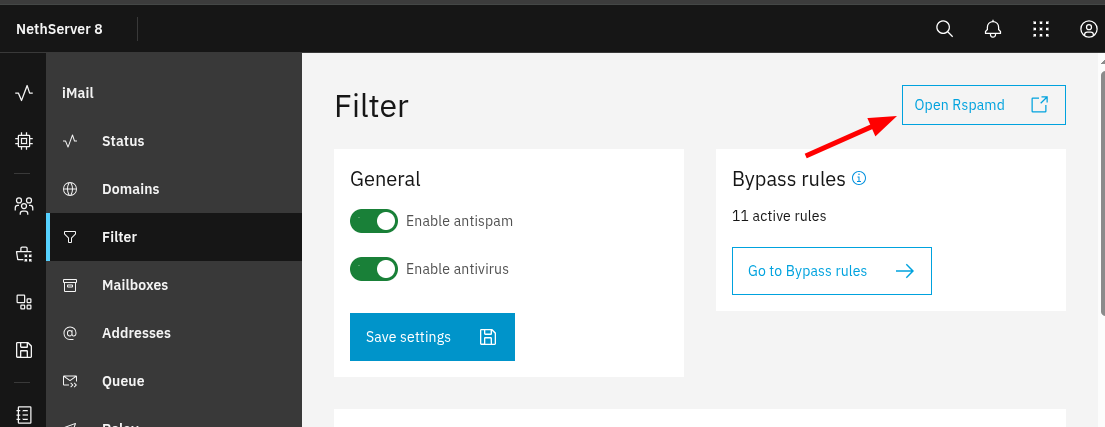
Use the same credentials you use to log in to cluster-admin.
Analyze the score
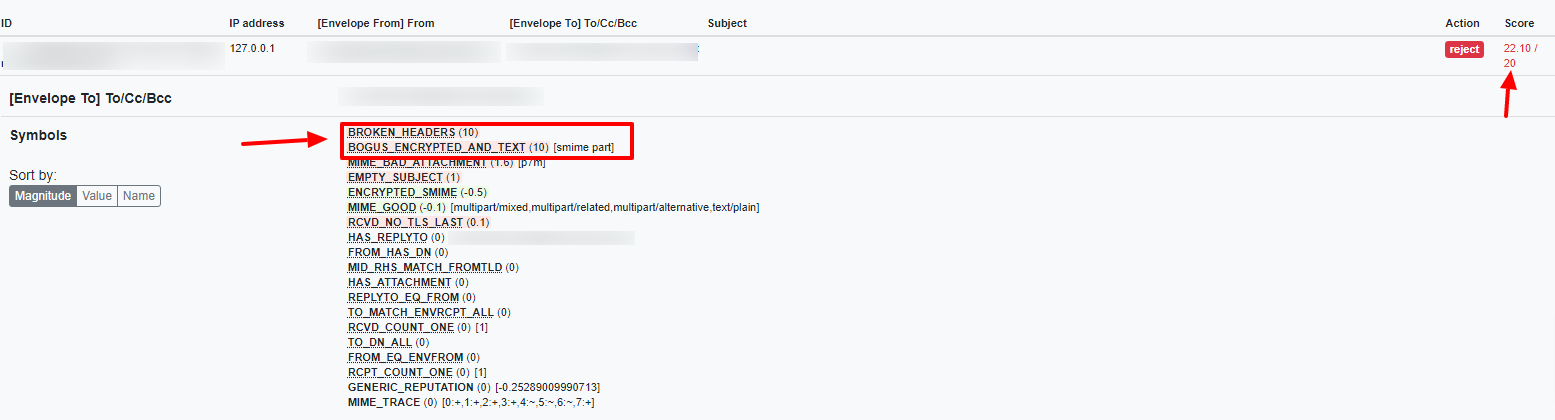
Open the History tab to inspect the score assigned to each message.

When this problem occurs, the affected messages usually contain these two symbols:
BOGUS_ENCRYPTED_AND_TEXT (10)BROKEN_HEADERS (10)
Because they add 10 + 10 points, they can easily exceed the rejection threshold and trigger
the Reject action.
Work around the issue
Lower the score of both symbols from 10 to 1.
You can change them from the Symbols tab in the Rspamd web interface. Use the search box
with the BOGUS and BROKEN keys to find the symbols.

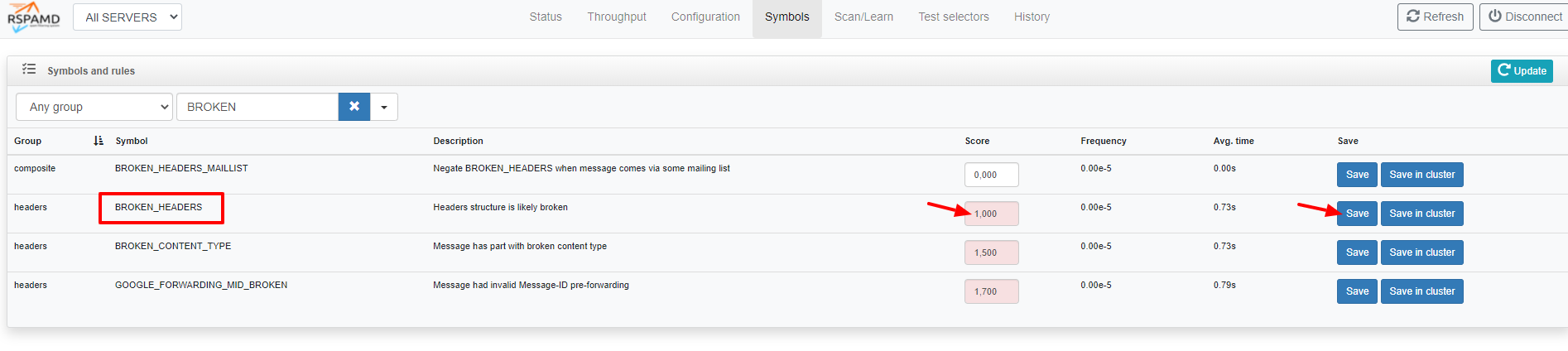
After saving the new values, no additional action is required. Subsequent messages containing this type of signed attachment are received or sent normally.